This guide explores the top stock video subscriptions for every creator.
Planning and editing visually striking video projects requires access to stock videos that complement the desired tone and style.
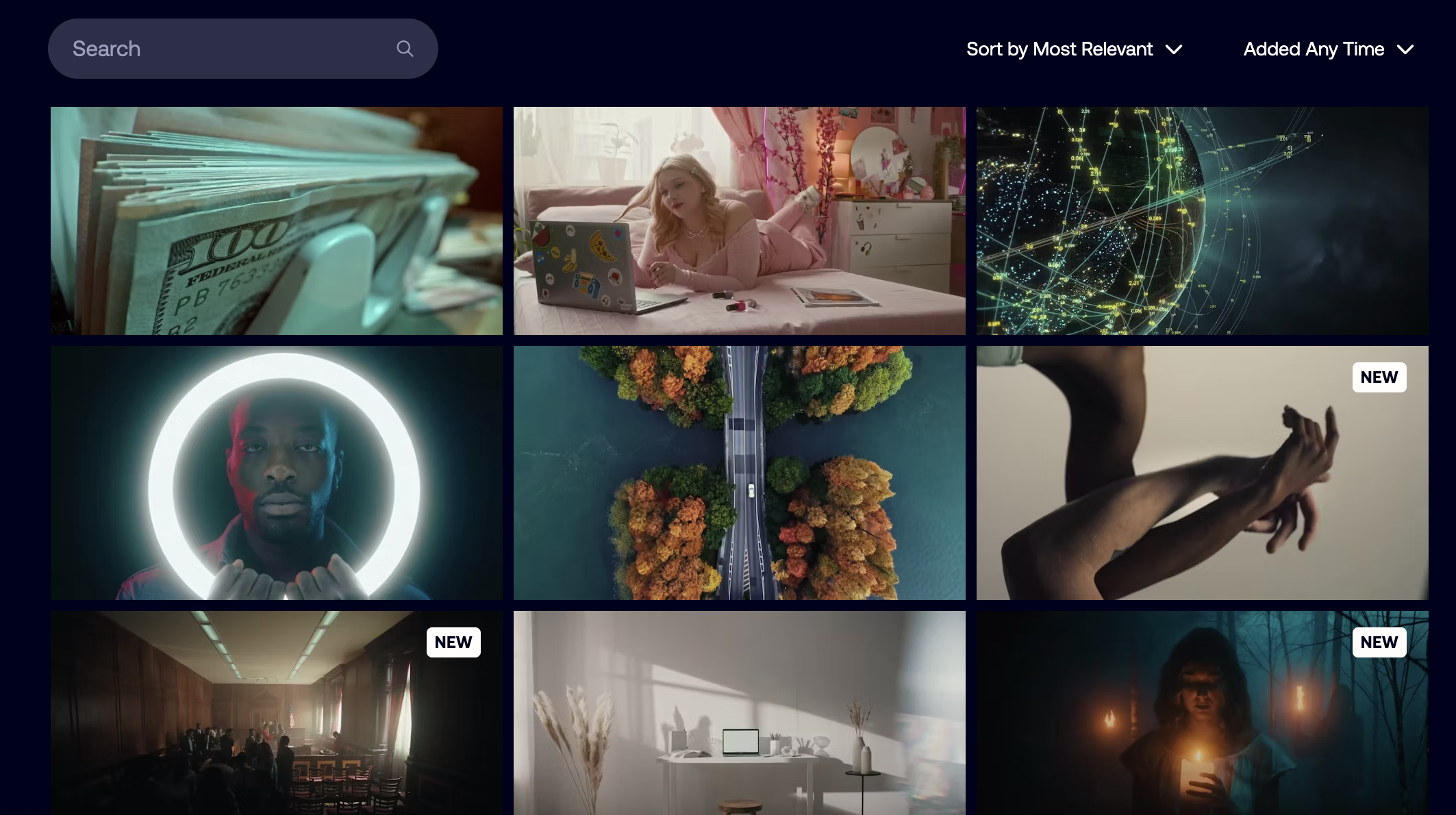
These subscription services offer access to thousands of high-quality clips covering a wide range of themes and subjects.
The best stock video subscriptions vary depending on the project’s requirements, from the intended audience to workflow integrations.
This guide breaks down the costs, asset selection, and library content of the best stock video subscriptions currently available.
If you’re looking for free or cheap stock footage to download without a subscription, check out this post.
Now, let’s jump in.
What is the Best Stock Video Subscription in 2025?
Signing up for a stock video subscription can save significant time, money, and effort when producing high-quality content.
These budget-friendly alternatives to video production offer access to millions of clips covering a wide range of subjects at a fraction of the cost.
Whether filling in gaps left from a filming schedule or editing documentaries, they’re a core tool for aspiring and professional content creators.
This selection of stock video subscription services encompasses everything from budget-friendly options to professional-level services for RAW video clips.
Envato Elements (Best Value)
- Cost-efficient for frequent use
- Impressive selection of asset types
- Straightforward licensing model
- Positive feedback from existing users
- Asset quality can be variable
- An active subscription is required to use assets
Envato Elements is one of the most popular stock video subscription services, offering an affordable and user-friendly option.
The platform features a vast library of assets, albeit with a distinctive “stock” flavor, covering an extensive range of topics.
Subscribers can access unlimited downloads within the terms of use, with a straightforward commercial licensing model.
There are also various extensions for cross-platform integrations, enabling streamlined projects on WordPress and Adobe Premiere Pro.
Searching for clips is easier through the platform’s AI-enhanced filters, which enable rapid navigation to the best matches.
While some users have reported issues with this search function, you can work around it by searching for a term in combination with the site’s URL.
Provided you’re prepared to be patient, Envato Elements offers a wealth of options for ready-to-use clips suitable for commercial projects.
Content creators who require pre-built templates for After Effects are also well served, with countless options for streamlining graphics workflows.
If you’re a small-scale content creator or a casual videographer, Envato Elements is an affordable option with a vast library of assets to explore.
Artlist (Best for High Quality Music & Sound Effects)

- Comprehensive professional-level video assets
- Choose from an all-in-one or a modular option
- Intuitive user interface and search engine
- Ideal for ongoing projects and content creation
- Lower-tier plans restrict asset quality and tools
- Higher costs for infrequent users
If your project requires higher-quality assets that are not available on Envato, Artlist’s selection of resources is specifically designed for professionals.
To enjoy the full benefits of the platform, you’ll need to invest in the Artlist Max subscription tier, delivering an all-in-one creative suite.
Alternatively, you can take a modular approach, focusing your asset selection on specific formats for niche user scenarios.
Artlist’s archives cater to a range of creative projects, from independent solo content creators to small production agencies.
In addition to the video clips, the platform offers an impressive range of sound effects and music to augment the footage.
Additional assets include high-quality templates for motion graphics and effects, as well as lookup tables (LUTs) for color grading.
If your project involves broadcasting, ensure you verify the licensing agreement to confirm that your subscription plan covers the requirements.
Check out our in-depth Artlist review here.
Motion Array (Best for Video Editors and Motion Graphics)

- Unlimited downloads for all asset types
- Robust collaboration and workflow tools
- Regularly updated with new video assets
- Free plan available
- Some asset categories are limited
- High cost for low-use or hobbyist content creation
Videographers and editors who specialize in motion graphics require a subscription service that meets their specific needs.
Motion Array is an excellent option, with a range of editing tools that can be used to streamline collaborative workflows.
There are templates based on popular video editing software, including Premiere Pro and After Effects, along with motion graphics presets.
These can be integrated directly into the software through plugins, allowing for instant integration with the Adobe Suite panel.
It offers a wide variety of assets with unlimited downloads, along with up to 250GB of cloud storage included in select subscription tiers.
High-quality video clips are also plentiful, with Motion Array especially relevant for finding diverse location shots.
Specific plans include AI voiceover generation, which can save time and money when creating dialogue to accompany imagery.
While non-Adobe editors might want to look elsewhere, those invested in Adobe’s ecosystem can quickly incorporate Motion Array’s assets into their projects.
Filmpac (Best for Cinematic Footage)

- Cinematic video footage in high-quality formats
- Clear licensing terms and security
- Impressive selection of music and SFX
- Collaborative Project feature for teams
- Expensive for casual users
- Smaller catalog compared to some alternatives
For professional-level projects by freelancers and small production teams, Filmpac delivers exceptional cinematic stock footage.
The platform offers a broad range of curated scene packages for download, ensuring a consistent, high-quality aesthetic.
Flexible licensing options help reduce costs for smaller projects; however, Filmpac is still among the pricier subscription services.
It also includes numerous audio-based assets, such as music clips, sound effects, and other complementary elements to enhance footage.
One of the biggest draws for Filmpac is the option to buy individual clips or opt for the unlimited subscription model.
This flexibility of pricing makes it an adaptable platform that can be tweaked on a project-by-project basis.
With its consistent approach to cinematic videos and assets, Filmpac’s higher costs pay off for videographers who demand the best possible quality.
Film Supply (Best for Exclusive, High-End Footage)

- Premium-level cinematic footage
- Flexible clip-based licensing
- Impressive selection of curated assets
- Support for project and scene continuity
- High costs
- Licensing can be complicated
Like Filmpac, Film Supply is specifically designed for the professional content creation workflow that requires cinema-standard video clips.
Subscribers are guaranteed a high degree of consistency between clips, which are created by professional videographers.
This Hollywood standard of cinematography comes at a higher cost, with premium prices expected when accessing the entire library.
Fortunately, Film Supply offers flexible licensing options, with individual clips available for licensing on specific projects.
Its suitability for high-end projects is evident through the range of collaborative and workflow tools for professional projects.
If you’re looking for video assets for commercial advertising or documentaries, Film Supply has a proven track record in these industries.
Adobe Stock (Best for Integration with Adobe Creative Cloud)

- Extensive library of videos, photos, and audio
- Seamless Adobe Creative Cloud integration
- Comprehensive subscription plans and credit packs
- Powerful generative AI tools
- Extended and premium content can be pricey
- Some licensing restrictions
Most content creators working within the Adobe video editing platforms will be familiar with Adobe Stock‘s range of video and image assets.
Its easy integration with Premiere and After Effects serves as a major selling point for users seeking an extensive catalog of high-quality assets.
In addition to the tight workflow integration, Adobe Stock’s AI-powered tools make it much easier to manipulate and edit them for projects.
Licensing terms are also provided with clarity, reducing the risks when using clips for commercial purposes.
Thanks to the broader range of visual assets that cater to graphic designers, Adobe Stock subscriptions have far-reaching applications compared to alternatives.
RawFilm (Best for RAW, Ungraded Footage)

- All footage shot on RED cameras
- Up to 8k resolution available
- The RAW format allows for post-production color grading
- Straightforward and flexible licensing and subscriptions
- Budget caps can lead to restricted use
- Steeper learning curve
Another excellent stock video subscription service tailored toward professionals is RawFilm, with a smaller but more focused library of assets.
The available footage here is exceptionally high quality, with up to 8K resolution clips and RAW format support.
This makes RawFilm essential for high-level projects that demand broadcast-level quality and professional workflow integration.
It also offers an impressively refined selection of curated cinematic content through the “Stories” feature, which speeds up asset acquisition.
These features come at a higher cost than other subscription services, while the large file sizes demand additional storage and hardware to run smoothly.
With that said, independent filmmakers and commercial producers will likely find RawFilm a rich repository of videos for their projects.
Comparing the Best Stock Video Services: Features and Pricing
| Service | Typical price (example / common billing) | Subscription tiers (summary) | Types of assets included | Library size (approx / stated) | Free trial / free tier |
|---|---|---|---|---|---|
| Envato Elements | Individual annual ≈ US$198/yr (≈ $16.50/mo) — month-to-month ≈ US$39/mo. | Individual, Teams, Enterprise (student discounts sometimes). | Photos, graphics, templates, fonts, web templates, video templates, music, SFX, 3D assets. | “Millions” of assets | No time-limited free trial listed. |
| Artlist | Varies by plan — example: Music+SFX plans start low (annual pricing); Artlist Max (all-in-one) commonly advertised ≈ US$39.99/mo (annual billing examples vary). | Music & SFX only, Footage & Templates, AI tools / Voiceover add-ons, All-in-one “Max” / Business tiers. | Music, SFX, stock footage, video templates, LUTs, (AI voice/image/video tools on higher tiers). | 2.5M+ assets | Trial/credits vary by promotion. |
| Motion Array | Everything plan: ≈ US$24.99–39.99/mo if billed annually (monthly price higher). (Examples vary by promo/region.) | Free tier (limited), Video Templates plan, AI Voiceover plan, “Everything” (all assets), Team & Business plans. | Video templates (Premiere/AE), stock footage, music & SFX, presets, LUTs, plugins, website/portfolio builder, AI voiceovers. | 2+ million media files | Free plan / limited free assets available; paid plans have free trial / monthly/annual options. |
| FILMPAC | Membership is marketed as low-cost versus premium footage: $25/month for membership; clips are also available individually (pricing varies). | Individual membership (unlimited downloads), Business/Agency tiers, single clip purchases, and extended licenses are available. | Cinematic stock footage, music tracks, SFX — focus on cinematic, story-driven packs. | Curated cinematic library | Free account gives watermarked previews / limited preview access. |
| FilmSupply (filmsupply.com) | Per-clip licensing: pricing starts in public guidance (e.g., internal use from ~US$109/clip, web/social from ~US$219/clip; broadcast/large campaigns scale up). | Per-clip licensing tiers (internal / web / broadcast / theatrical / extended). White-glove / enterprise services available. | Premium cinematic stock footage (high production value), often exclusive/curated filmmaker content. | Thousands of premium clips | No unlimited free trial — previews available; licensing is paid per clip. |
| Adobe Stock | Example subscriptions: US$29.99/month (10 standard assets/month), up to larger enterprise tiers; credit packs and single purchases available. | Monthly subscriptions with tiers (10 / 25 / 40 / larger asset bundles), credit packs, enterprise licensing, extended licenses & premium collection. | Photos, vectors, illustrations, templates, 3D assets, video (HD/4K), audio, premium curated imagery; Firefly generative features integrated. | 800M+ assets | 30-day free trial options. |
| RawFilm | Example plans publicized: monthly, approximately $79 (examples: 50 clips/month plan) or annual, roughly $1,068/year for 1,000 clips (site shows tiered clip allotments); single-clip purchases are also possible. | Monthly starter plans, annual bundles (1000 clips/year plan), enterprise/team custom plans, and single clip purchases. | Cinematic RAW footage (RED R3D, CinemaDNG), 4K/6K/8K. | Curated premium cinematic footage library. | Previews available (no free trial). |
5 Tips for Getting the Most Out of Your Stock Video Subscription
Building a comprehensive library of stock videos lays the foundation for excellent content creation, but it can also become overwhelming quickly.
With thousands of clips to choose from, it’s important to implement processes that streamline your workflow and allow you to focus on editing.
To help you capitalize on your video stock subscription services, here are some tried-and-tested tips to follow:
Plan your project thoroughly
Whatever the nature of the content you’re creating, making a thorough plan will significantly streamline your interactions with stock video providers.
This begins with a general outline of the project covering themes, locations, and other subject matter that will define the content and style.
You can then elaborate by breaking down sequences and shot lists you’d like to include, creating a list of relevant search terms.
If your project requires them, you can draft out storyboards to further refine the types of shots to look for from your stock video subscription.
Consider your keyword selection
The planning stage of any project is also essential for creating a core list of keywords to use when tracking down video clips.
After brainstorming your keyword selection, you can further enhance it by utilizing your subscription service’s search filters.
Additionally, using long-form keywords and combinations can deliver more refined results that match your project’s requirements.
Adding parameters such as clip duration, frame rate, and resolution will ensure the results you get are a stronger match.
Make the most of the site’s tools
The best stock video subscription services offer a range of tools that can be used to enhance basic keyword searches.
Such tools include extensions and plugins for video editing software and website builders to streamline workflow integration.
They also include suggested clips for similar content, along with curated collections based on current trends and overarching themes.
You should research all of the available tools within your chosen stock video service, marshalling them to optimize your clip discovery processes.
Search high-quality contributors
Stock video subscriptions draw on professional videographers when compiling their assets, with some offering clips tailored to specific project types.
If you’re gathering clips for a niche project, you may find that specific contributors share consistently high-quality and relevant footage.
Whenever you find a clip that resonates with your goals, click on the contributor’s profile and see what else they have to offer.
Customize your footage in post-production
While most stock footage is downloaded in high-resolution formats, content creators still need to consider post-production optimization.
This can range from basic trimming of clips, shortening the length or cropping to focus on specific subjects.
It can also include in-depth color grading, adjusting the color and tone of the footage to match the original content.
Introducing custom graphics and sounds, or adding branding elements such as logos, can all be implemented to elevate the result.
FAQs About the Best Stock Video Subscriptions
What is the difference between royalty-free and rights-managed footage?
Royalty-free and rights-managed footage both have different requirements and user applications for broadcasters and content creators.
For royalty-free video licensing, a one-time fee is paid to cover perpetual use across a selection of projects.
On the other hand, rights-managed footage is customized for specific, often restricted use, with higher costs for unique projects.
Can I use stock videos for commercial projects?
The viability of stock footage for commercial projects depends entirely on the specific license permit associated with the video.
If you’re unsure whether you can use footage in this way, look for a “commercial use” authorisation associated with the content.
Some stock footage subscriptions may require an additional payment or subscription tier to access commercial rights clips.
Are there any restrictions on the number of times I can use a downloaded clip?
The usage of any clips downloaded from a stock video subscription service depends on the type of licence it falls under.
Some are available for perpetual use, while others may have usage limitations based on their application in projects.
You should follow the rules outlined by your subscription service and be mindful of any potential restrictions that may apply if you unsubscribe.
Does an Adobe Stock subscription include videos?
Adobe Stock’s range of assets includes everything from images and graphics to HD and 4K videos.
This content can be accessed directly through Adobe’s Creative Cloud, ready for editing and post-production work in Premiere Pro and After Effects.
All videos licensed through Adobe Stock are royalty-free so that you can use them in multiple video projects.
What is the best unlimited stock video subscription?
While the best unlimited stock video subscriptions vary depending on your requirements, several stand out as worthy investments.
Envato Elements offers a diverse range of assets, while Adobe Stock caters to videographers who are invested in Adobe’s ecosystem.
For higher-end video assets, both Motion Array and RawFilm provide access to exceptional-quality content for professionals.
Credit : Source Post