
Quick Answer Turn off Speak-to-Chat in the Sony Headphones Connect app first, because that is the most common reason Sony headphones stop when you talk ...
 SS Author

Quick Answer Turn off Sony’s Speak-to-Chat, then check auto pause, wear detection, and voice assistant settings in the Sony Headphones Connect app. If the ...
Quick Answer Use the Sony | Headphones Connect app, keep the battery charged, and do not interrupt the update once it starts. If the app fails, re-pair the ...
Quick Answer To use Sony WH-1000XM4 headphones, charge them, pair them through Bluetooth, and set them up in the Sony Headphones Connect app. After that, ...
Quick Answer Sony headphones are made in multiple countries, including Japan, China, Malaysia, and Thailand, depending on the model and region. The country ...

Quick Answer ANC is best for blocking outside noise, while transparency mode is best for letting the outside world back in. If you want quiet on ...

Quick Answer Transparency mode headphones use external microphones and digital processing to let outside sound in while you keep listening to ...

Quick Answer Adaptive ANC is active noise cancellation that changes in real time based on your surroundings, your fit, and sometimes even your ...

Quick Answer Yes, noise cancelling can reduce voices, but it usually does not block them completely. It works best on distant, steady, ...

Quick AnswerLC3 is the low-complexity audio codec used in Bluetooth LE Audio. In plain English, it’s the new Bluetooth codec designed to deliver better ...
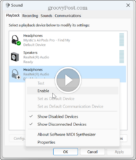
Quick Answer To select headphones in Windows 11, connect your device via Bluetooth or the headphone jack, then go to Settings > System > Sound, ...
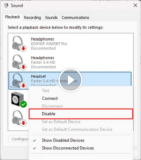
Select headphones in Windows 11 by navigating to Sound Settings and choosing your device. Whether you're looking to immerse yourself in the rhythms of your ...
- 1
- 2
- 3
- …
- 8
- Next Page »