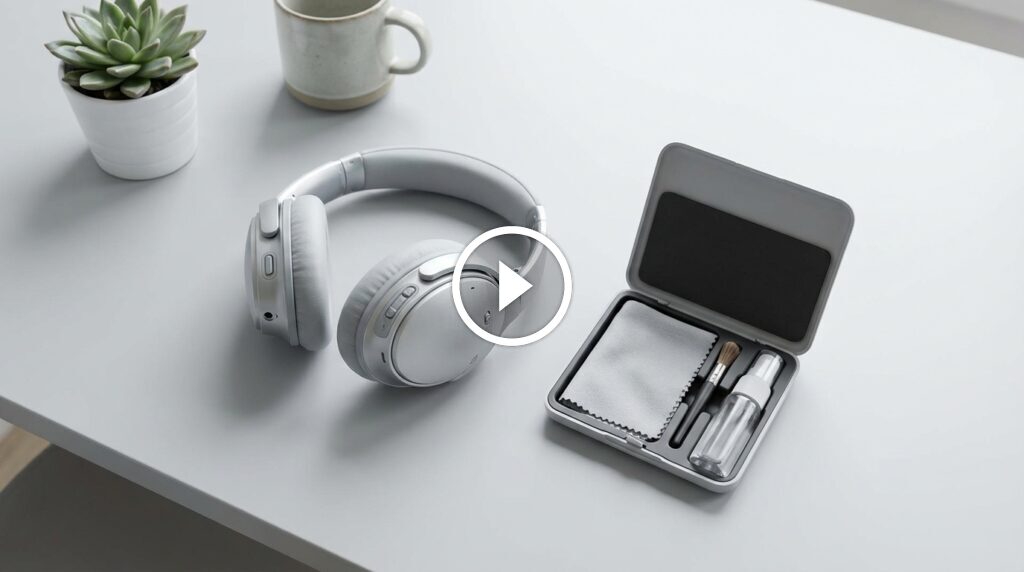
Wipe ear pads, clean tips, and sanitize grills gently with mild alcohol or soap and water.
I’ve cleaned dozens of headphones over the years and helped friends save earbuds and headsets from grime and damage. This guide explains how to clean headphones safely and thoroughly. You will find step-by-step methods for in-ear buds, over-ear cans, wireless models, and charging cases. I mix tested tips, tool lists, and real-life lessons so you can refresh your gear without risk.
Why cleaning headphones matters
Dirty headphones harm sound and hygiene. Earwax, sweat, dust, and oils build up on pads and meshes. That buildup reduces sound quality and can irritate ears.
Regular cleaning protects the gear. It extends lifespan and keeps microphones and ports working. It also keeps your ears healthier and reduces infections.

Source: reddit.com
What you’ll need to clean headphones
Keep a simple kit on hand. Use safe items that won’t harm electronics.
- Soft microfiber cloth for wiping surfaces.
- Cotton swabs for crevices and grills.
- Isopropyl alcohol 70% for disinfecting small areas.
- Mild dish soap and warm water for removable silicone or rubber parts.
- Soft-bristled toothbrush or interdental brush for mesh.
- Toothpick or plastic dental pick for stubborn gunk.
- Compressed air can for ports and tight spots.
- Small bowl, towel, and clean workspace.
Always power off and unplug devices first. Remove batteries when possible. Avoid harsh chemicals, bleach, or soaking non-waterproof parts.

Step-by-step: how to clean headphones safely
Follow this sequence for best results. Work slowly and use light pressure.
- Power off and unplug. Remove ear tips, cables, and pads if the model allows.
- Brush loose debris. Use a soft brush or dry cloth to sweep dust from grills and joints.
- Clean ear tips and silicone parts. Soak tips in warm, soapy water for a few minutes. Rinse and air dry fully before reattaching.
- Wipe pads and headband. Dampen a microfiber cloth with a little soapy water. Wipe leather, foam, or fabric pads gently. Pat dry.
- Disinfect surfaces. Lightly moisten a cotton swab or cloth with 70% isopropyl alcohol. Wipe high-touch areas like ear cups, touch controls, and headband.
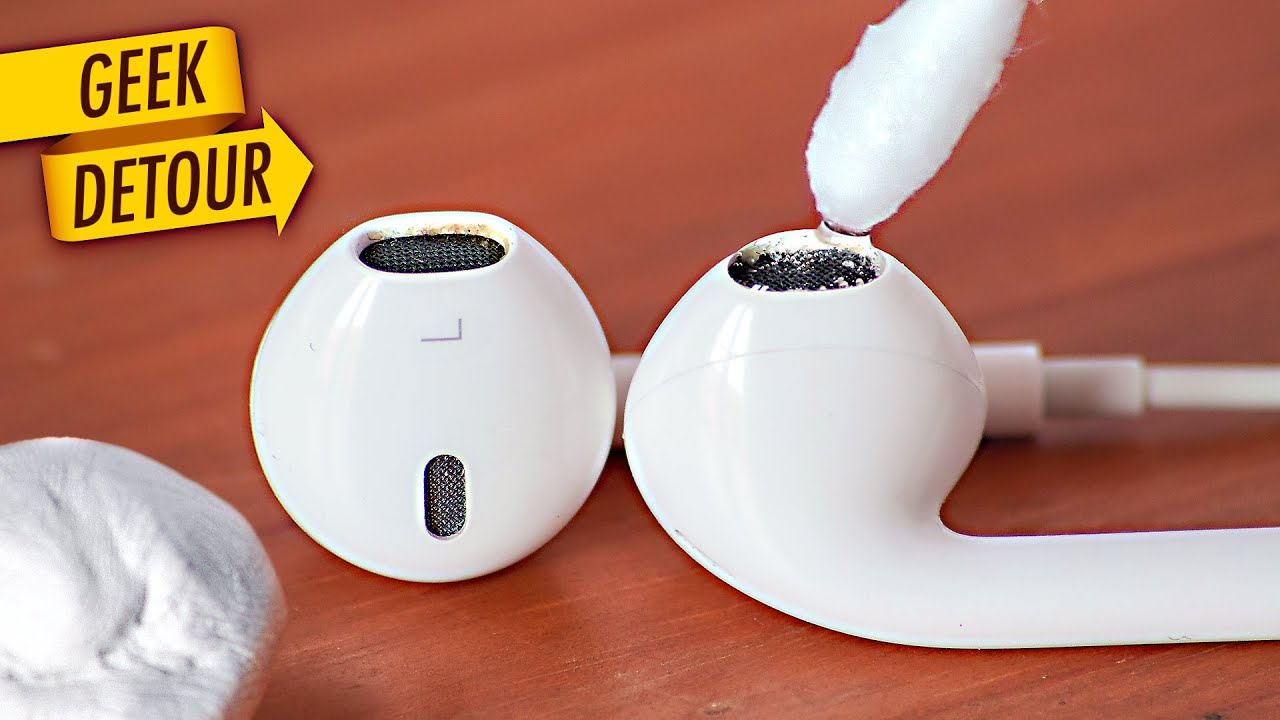
- Clean speaker grills and meshes. Use a dry brush, toothpick, or compressed air. Avoid pushing dirt deeper into the mesh. If needed, use a slightly damp cotton swab with alcohol, but be sparing.
- Clean cables and jacks. Wipe cables with a cloth dampened with soapy water. For jacks, blow out dust with compressed air and wipe contacts with a dry swab.
- Dry completely before use. Let all parts air dry for at least 30 minutes. Reassemble only when fully dry.
Do not submerge any wired electronics or charging cases unless they are rated waterproof. For wireless buds, avoid getting fluid into charging ports.

Source: techadvisor.com
How to clean different headphone types
Different models need tailored care. Use the right method for each type.
In-ear earbuds and silicone tips
Remove silicone tips. Wash tips with soap and water. Use a dry brush on the nozzle and a dry cloth on the body. Let tips dry fully before reattaching.
True wireless buds and charging cases
Clean buds with a soft brush and alcohol on a swab for the shell. Wipe charging case interior gently. Avoid getting moisture on charge pins.
Over-ear and on-ear headphones
Remove ear pads if possible. Clean pads and headband with soap and water or a leather cleaner for faux leather. Use a soft brush on mesh and grills.
Sports earbuds and sweat-prone models
Clean after workouts. Wipe sweat off immediately. Wash detachable parts often and use a disinfectant wipe on the body.
Noise-cancelling and sensitive electronics
Be gentle near microphones and vents. Use minimal liquid and avoid compressing internal foam or breaching seals.
Source: youtube.com
Maintenance schedule and simple habits
Set a routine. Small, regular actions prevent big problems.
- After every use: quick wipe of ear cups and touch areas.
- Weekly: remove tips and clean silicone parts. Brush grills.
- Monthly: deep clean pads, headband, and cables.
- Replace foam or silicone tips every 6–12 months or as they wear.
Store headphones in a dry case. Avoid leaving them in hot cars or humid places. Charge and update firmware regularly to keep electronic features working well.

Source: reddit.com
Common mistakes to avoid
Avoid these errors that damage headphones or reduce life.
- Using too much liquid and letting it enter drivers or ports.
- Rubbing abrasive cleaners on leather or fabric pads.
- Using sharp metal tools that can puncture meshes or foam.
- Over-tightening or forcing removable parts when reassembling.
- Skipping drying time before turning electronics back on.
Can I use rubbing alcohol on earbuds?
You can use 70% isopropyl alcohol on hard plastic parts and silicone tips. Avoid alcohol on leather, dyed fabrics, or delicate foam.
Can I submerge silicone tips in water?
Yes. Silicone tips are safe to soak briefly in warm, soapy water. Rinse and air dry completely before reuse.
Personal experience and pro tips
I once ruined a pair by soaking them. I learned to remove pads first and never submerge sealed units. Small care prevents big problems.
My best tip is to clean often. A five-minute tidy saves you from clogged meshes and muffled sound. Use a toothbrush with light strokes. It removes grime without pushing it deeper.
If a tool works, keep it in your kit. I carry spare tips and a small brush when I travel. It keeps my headphones fresh and ready.
Source: youtube.com
People also ask — quick answers
How often should I clean my headphones?
Light cleaning after each use and deeper cleaning weekly or monthly keeps them hygienic and working well.
Will alcohol damage my headphones?
Alcohol can safely disinfect hard plastic, metal, and silicone. Avoid alcohol on leather and certain fabrics.
How do I clean earwax from earbud mesh?
Gently brush the mesh with a soft brush. Use a dry cotton swab or a slightly dampened alcohol swab around the edge.
Frequently Asked Questions of how to clean headphones
Can I use soap and water on my headphones?
Use soap and water on removable silicone or rubber parts only. Never submerge electronic parts unless the device is waterproof.
How do I clean the charging case of wireless earbuds?
Wipe the case interior with a dry brush and a lightly damp swab. Avoid wetting the charging contacts and let it dry completely before closing.
What should I do if my headphones sound muffled after cleaning?
Check that grills and meshes are dry and not blocked. Reassemble parts correctly and test again. If sound stays muffled, a technician may need to inspect the driver.
Is it safe to use disinfectant wipes on headset pads?
Use alcohol wipes sparingly on hard surfaces. For pads, choose wipes made for electronics or a cloth dampened with mild soap and water to avoid drying out materials.
How do I remove mold or strong odors from headphone pads?
Clean pads with a mild detergent solution and allow full air drying in a ventilated area. Replace pads if mold penetrates foam or fabric.
Conclusion
Keeping headphones clean is simple. Follow safe steps, use the right tools, and set a routine. Small care keeps sound crisp and gear lasting longer.
Try these tips today. Clean one set of headphones now and make it a habit. If you found this helpful, leave a comment or subscribe for more practical guides on audio care.

Credit : Source Post