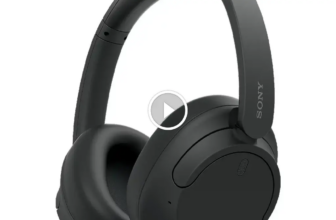
A headphone amplifier is a device that gives your headphones more clean power so they can play louder, clearer, and with better control. It matters most for high-impedance or low-sensitivity headphones that sound weak, flat, or distorted from a phone, laptop, or basic headphone jack.
Headphone amps sound more complicated than they really are. I’m Ryan Mitchell, and I test headphones in real life for music, calls, comfort, and daily use so I can explain things in a simple way. This is one of those topics that gets overhyped fast, so I’ll keep it practical and show you when an amp helps, when it does not, and what mistakes to avoid.
Quick Answer
A headphone amplifier, often called a headphone amp, boosts the audio signal going to your headphones. The goal is not just more volume. A good amp helps demanding headphones sound more controlled, with stronger bass, cleaner mids, smoother highs, and less distortion when you turn them up.
In my testing, not every headphone needs an amp. Many earbuds, gaming headsets, and easy-to-drive portable headphones work fine from a phone, tablet, or laptop. An amp becomes useful when your headphones need more power than your source can provide.
What Is a Headphone Amplifier and Why Does It Matter?
A headphone amplifier is a small audio device made to drive headphones properly. Think of it like this: your source device, such as a phone or laptop, sends the music signal, and the amp gives that signal the power needed to move the headphone drivers well.
Why does that matter? Because some headphones are easy to power, while others are not. If your source is too weak, the sound can be:
- Too quiet
- Thin in the bass
- Compressed or flat
- Harsh when volume goes up
- Lacking detail and punch
I usually explain it this way: an amp does not magically change bad headphones into amazing ones, but it can help good headphones reach their intended performance.
How a Headphone Amplifier Works
The job of voltage, current, and power
At a basic level, a headphone amplifier provides the electrical power headphones need. That power depends on voltage and current. Some headphones need more voltage to reach proper loudness. Others need more current to keep the sound stable and controlled, especially at low frequencies.
When the amp has enough clean power, I usually hear better control in the low end, less strain in the upper range, and more headroom during dynamic parts of a song, game, or movie.
Why impedance and sensitivity matter
Two specs matter most when people ask me if they need an amp:
- Impedance: measured in ohms. Higher impedance headphones often need more voltage.
- Sensitivity: tells you how loud the headphones get from a given amount of power.
Here is the part that confuses a lot of buyers: high impedance does not always mean hard to drive, and low impedance does not always mean easy. Sensitivity matters too. I have tested low-impedance headphones that still needed more power than expected, especially some planar magnetic models.
| Headphone Type | Typical Amp Need | Why |
|---|---|---|
| Easy-to-drive earbuds and IEMs | Usually no | They reach full volume easily and can even hiss on powerful amps |
| Portable closed-back headphones | Sometimes | Many work fine from phones, but some sound better with more headroom |
| 250 to 600 ohm studio headphones | Often yes | They usually need more voltage than a basic jack can provide |
| Planar magnetic headphones | Often yes | Many need more current and sound flat from weak sources |
Do all headphones need an amp?
No. In fact, most casual listeners do not need a separate headphone amplifier.
If you mostly use Bluetooth headphones, true wireless earbuds, or efficient wired headphones, the built-in amplification in your phone, dongle, laptop, or headphone itself is often enough. Bluetooth models already contain their own internal amp.
Where I see the biggest benefit is with:
- High-impedance headphones
- Low-sensitivity planar headphones
- Studio or audiophile models used at a desk
- Listeners who hear distortion or weak dynamics from a weak source
Signs You May Need a Headphone Amplifier
Low volume and weak dynamics
If you have to push your source close to maximum volume and the sound still feels restrained, that is a strong sign. I notice this most with older laptops, game controllers, basic desktop motherboard jacks, and some phones using passive adapters.
Music should have some jump to it. Drums should hit with authority. Voices should not sound like they are stuck behind a wall.
Thin bass or flat sound
When headphones do not get enough power, bass can sound soft or lightweight. Mids may lose body, and highs can feel dry. The whole presentation can seem smaller than it should.
This is especially noticeable with over-ear headphones that are meant for home listening. In my testing, once the power match is right, bass often sounds tighter and deeper, not just louder.
Distortion at higher volume
Another common sign is that your sound gets rough or strained when you turn it up. Instead of opening up, the audio becomes harsh, fuzzy, or messy.
That usually means the source is running out of clean power. A proper amp can give you more clean headroom, which means better volume without the same level of distortion.
How to Tell if Your Headphones Need an Amp (Step-by-Step Guide)
- Check your headphone specs. Look at impedance and sensitivity on the manufacturer page or box.
- Check your source device. A phone, laptop jack, USB dongle, or audio interface all have different power limits.
- Listen at your normal volume. Do not test only with quiet recordings. Try the music, games, and calls you actually use.
- Watch for real problems. If the sound is too quiet, flat, bass-light, or distorted, your source may be the bottleneck.
- Compare with a stronger source if possible. Borrow a DAC/amp, portable amp, or desktop unit and listen for better control, not just more loudness.
- Match the amp to your use case. For desk listening, a desktop amp makes sense. For travel, a small USB or battery-powered amp is easier.
If you want objective measurements for many headphone models, I often suggest checking the database at RTINGS. When I want to compare how real users pair certain headphones with amps, I also browse discussions at Head-Fi.
When a Headphone Amp Helps Most
Music listening at home
This is the most obvious use case. If you sit at a desk or in a chair and listen with wired over-ear headphones, an amp can make a real difference with the right model. I hear the biggest gains in dynamics, bass control, instrument separation, and overall ease.
Gaming and detailed audio cues
For gaming, an amp can help if your wired headphones are hard to drive and your controller or PC jack sounds weak. Better power can help positional cues feel more defined, and it can keep loud action scenes from collapsing into distortion.
That said, for competitive gaming, I usually prefer a simple wired setup with low latency. An amp will not fix bad imaging, but it can help good headphones perform more consistently.
Calls, meetings, and daily desk use
For work calls and meetings, the improvement is more about stable, clean output than excitement. If your headphones sound thin or underpowered from a laptop, a small desktop DAC/amp can make voices clearer and less strained over long listening sessions.
Travel and portable listening
Portable amps are useful if you travel with demanding wired headphones. For most people using wireless earbuds on the go, I do not think an extra amp is necessary. It adds bulk, cables, and battery management.
For gym use, I rarely recommend a separate amp. Wireless workout earbuds already have built-in amplification, and a wired amp setup is just not practical for movement.
Common Headphone Amplifier Problems and Fixes
| Problem | Likely Cause | What to Do |
|---|---|---|
| Hiss or background noise | Amp is too powerful or noisy for sensitive IEMs | Use low gain, lower volume, or a quieter amp designed for IEMs |
| Volume is still too low | Source output is weak, gain is too low, or headphones need more power | Check gain setting, cable, source level, and amp power rating |
| Sound gets harsh at high volume | Clipping, poor source quality, or wrong pairing | Lower source volume slightly, use proper gain, and test another source |
| Sound is muddy or loose | Poor source, bad EQ, or unrealistic expectations | Reset EQ, use a cleaner source, and confirm the headphone tuning itself |
Hiss or background noise
This is common when people pair very sensitive IEMs with a powerful desktop amp. The amp may have enough power for big over-ear headphones, but the noise floor becomes obvious with IEMs.
My fix is simple: start on low gain. If the hiss is still there, use a quieter source or an amp designed for sensitive earphones.
Volume is still too low
If your amp still sounds weak, check the full chain. I have seen people blame the amp when the real problem was a low-output laptop, a weak dongle, a bad cable, or the wrong connection.
Make sure:
- The source volume is high enough
- The amp is on the correct input
- Gain is set properly
- Your headphones are fully plugged in
- You are not using a weak adapter in the middle
Sound is harsh or distorted
Harsh sound can come from clipping, poor recordings, aggressive EQ, or a bad source. An amp helps only if the power stage was the issue. If the headphone itself is bright or badly tuned, the amp will not fully change that.
I always test with EQ off first and use a known good source track before blaming the hardware.
Amp and source do not match well
Some problems happen because the whole setup is mismatched. A cheap noisy source feeding a good amp still gives you a bad signal. Also, very sensitive earphones can expose flaws in an amp that larger headphones hide.
The best results usually come from a balanced setup, not the most powerful one on paper.
Common Mistakes to Avoid
- Buying based on impedance alone. Sensitivity matters just as much.
- Using high gain by default. More gain is not automatically better.
- Pairing sensitive IEMs with a loud desktop amp. That often leads to hiss.
- Expecting an amp to fix bad tuning. If the headphone is too sharp, muddy, or uncomfortable sounding by design, an amp will not rewrite its personality.
- Ignoring the source. A bad headphone jack or weak dongle can hold the whole chain back.
- Confusing louder with better. A fair comparison should be volume matched as closely as possible.
Practical Tips for Better Sound With a Headphone Amp
These are the habits I use when testing and setting up headphone amps:
| Setting or Habit | Best Starting Point | Why It Helps |
|---|---|---|
| Gain | Low gain first | Reduces hiss and gives you more usable volume range |
| Source volume | Moderately high but not maxed | Helps avoid weak signal and clipping issues |
| EQ | Off during setup | Makes it easier to hear the real amp and headphone behavior |
| Listening level | Normal daily volume | Shows whether the amp helps in real use, not just in stress tests |
- Use low gain first, especially with IEMs and efficient headphones.
- Give the amp a clean source signal. A noisy source stays noisy.
- Judge improvement by control, clarity, and comfort, not just loudness.
- For music, listen to bass texture, vocal clarity, and treble smoothness.
- For gaming, pay attention to separation and stability during busy scenes.
- For calls and meetings, focus on voice naturalness and fatigue over time.
- Protect your hearing. A stronger amp can get dangerously loud fast.
Headphone Amplifier vs DAC vs Receiver: What’s the Difference?
This is where people mix things up the most. A DAC converts digital audio into analog audio. A headphone amplifier boosts that analog signal so your headphones can use it properly. A receiver is usually a larger home audio hub that can power speakers and switch between multiple inputs.
| Device | Main Job | When You Need It |
|---|---|---|
| Headphone amplifier | Adds clean power for headphones | When your headphones sound weak, quiet, or strained |
| DAC | Converts digital signal to analog | When your source has poor conversion or no analog output |
| DAC/amp combo | Does both jobs in one unit | Best for most desk users who want a simple upgrade |
| Receiver | Manages sources and often powers speakers | Best for home theater or speaker systems |
In real life, I usually recommend a DAC/amp combo for beginners because it is simpler and avoids guesswork.
Wired, Portable, and Desktop Headphone Amps
There are a few main types of headphone amplifiers, and the best one depends on how you listen.
| Type | Best For | Pros | Tradeoffs |
|---|---|---|---|
| Small USB dongle DAC/amp | Phone and laptop users | Portable, easy, low cost | Limited power compared with larger amps |
| Portable battery-powered amp | Travel with wired headphones | More power on the go | Extra device and extra charging |
| Desktop headphone amp | Home and office desk setups | Best power and control | Not portable |
If you mostly listen at a desk, I would choose a desktop unit. If you move between a laptop and phone, a compact USB DAC/amp is usually the easiest option. If you only use Bluetooth headphones, you likely do not need a separate headphone amp at all.
Optional Tools and Helpful Picks
Before buying anything, I always tell people to check the headphone specs and look up real-world pairing feedback. Measurement databases and forums can save you money.
If you want an easy starting point, these kinds of products make sense for beginners who need a simple wired upgrade:
FiiO K11 Desktop DAC/Amp
Helpful for improving power and control in a simple desk setup.
I am not saying everyone needs one of these. I only suggest this type of gear when a headphone actually benefits from more power or a cleaner output stage.
Is a Headphone Amplifier Worth It?
Yes, if your headphones are underpowered. That is the short version.
For easy-to-drive headphones, a separate amp may add little or nothing. For demanding over-ear headphones, especially high-impedance or low-sensitivity models, it can be one of the most noticeable upgrades in your setup.
In my own use, the best value comes when the amp solves a real problem:
- Your headphones are too quiet
- The bass feels weak or loose
- The sound gets harsh at higher volume
- Your laptop, controller, or phone jack is clearly struggling
If none of those problems exist, you may be better off saving the money.
FAQ
What does a headphone amplifier do?
A headphone amplifier boosts the audio signal so headphones get enough clean power for proper volume, control, and lower distortion.
Do 32-ohm headphones need an amp?
Sometimes, but not always. Many 32-ohm headphones work fine without one. Sensitivity matters just as much as impedance.
Will a headphone amp improve bass?
It can if your headphones are underpowered. You may hear tighter, fuller bass, but it will not completely change the tuning of the headphone.
Can a headphone amp make headphones louder without distortion?
Yes, if the original source is too weak. A good amp gives you more clean headroom, which often means louder sound with better control.
Do Bluetooth headphones use a headphone amplifier?
Yes. Bluetooth headphones already have a built-in amplifier inside them, so they do not use an external headphone amp in the same way wired headphones do.
Is a DAC the same as a headphone amp?
No. A DAC converts digital audio to analog, while a headphone amp powers the headphones. Many products combine both in one device.
Conclusion
A headphone amplifier is simply a tool that helps the right headphones get enough clean power. If your headphones already sound full, clear, and loud enough, you probably do not need one. But if they sound weak, flat, or strained from your current device, an amp can be a smart upgrade. Start with your headphone specs and real listening problems, and the right answer gets much easier.
Credit : Source Post