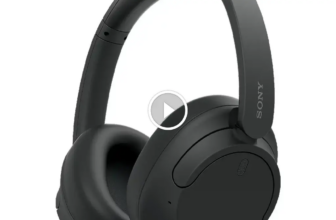
Lightning headphones are better if you want lower latency, no charging, and a stable plug-in connection on an older iPhone. Bluetooth headphones are better for most people because they offer more freedom, broader compatibility, and features like noise cancellation.
This topic confuses a lot of people because both options can sound good, but they solve different problems. I’m Ryan Mitchell, and I test headphones in real life for music, calls, comfort, and daily use so I can explain things in a simple way. If you are trying to pick the right type for your iPhone, workouts, travel, or gaming, this guide will make it easy.
Quick Answer
If you use an older iPhone with a Lightning port and want the most reliable, low-delay connection, Lightning headphones still make sense. If you want wireless freedom, easier movement, better compatibility with more devices, and more modern features, Bluetooth is the better pick for most people.
| Use Case | Better Choice | Why |
|---|---|---|
| Music at a desk or home | Lightning | Stable connection, no battery, very low delay |
| Calls and meetings | Depends | Lightning is consistent, but premium Bluetooth often has better mic processing |
| Gaming and video sync | Lightning | Less latency than Bluetooth |
| Travel and commuting | Bluetooth | Wireless freedom and better ANC options |
| Gym and workouts | Bluetooth | No cable to snag or bounce around |
| Using multiple devices | Bluetooth | Works with phones, tablets, laptops, and TVs more easily |
What Are Lightning Headphones and Bluetooth Headphones?
Lightning headphones plug directly into Apple’s Lightning port. That means they are mainly for older iPhones and some older iPads. Instead of using a normal 3.5mm jack, they send audio through the Lightning connection.
Bluetooth headphones connect wirelessly. They pair with your phone, tablet, laptop, or other device and receive audio over Bluetooth. On iPhones, Bluetooth audio usually uses the AAC codec, not aptX.
In simple terms, Lightning is a wired digital connection, while Bluetooth is a wireless compressed connection. That difference affects sound, delay, charging, and long-term compatibility.
This comparison matters because Lightning can still be great on the right device, but many newer devices have moved to USB-C. If you want something more future-proof, Bluetooth usually has the edge.
Lightning Headphones vs Bluetooth: Key Differences at a Glance
| Feature | Lightning Headphones | Bluetooth Headphones |
|---|---|---|
| Connection | Wired through Lightning port | Wireless |
| Latency | Very low | Higher than wired |
| Battery | No headphone charging needed | Needs regular charging |
| Sound path | Direct digital audio from device | Compressed wireless audio |
| Noise cancellation options | Limited | Much more common |
| Movement freedom | Cable limits movement | Best for mobility |
| Compatibility | Mainly older Apple devices with Lightning | Works with most modern devices |
| Future-proofing | Lower | Higher |
Sound Quality
In my testing, Lightning headphones usually give a more consistent result because there is no Bluetooth compression and no wireless interference. That does not automatically mean they sound better. A badly tuned Lightning earbud can still sound thin, harsh, or weak.
Bluetooth headphones can sound excellent now, especially better models using strong drivers, good DSP tuning, and solid ear tips or pads. But on iPhone, Bluetooth still involves codec limits. If you want a deeper explanation of how AAC, SBC, and compression affect wireless audio, this SoundGuys guide to Bluetooth codecs is a useful reference.
For bass, mids, and highs, the headphone tuning matters more than the connection type alone. Still, Lightning often has an advantage in cleaner timing and stable detail, while Bluetooth wins on convenience and feature set.
Latency and Gaming/Video Sync
This is one of the clearest differences. Lightning headphones usually have much lower latency. If you play games, watch fast-paced video, edit content, or care about lip sync, wired Lightning is the safer choice.
Bluetooth has improved, but delay is still real. Some people barely notice it with casual music or podcasts. In gaming and video, I notice it much faster. If low delay matters to you, Lightning is the better tool.
Battery and Convenience
Lightning headphones do not need their own battery, which is a real advantage. You just plug them in and go. That is great if you hate charging one more device.
Bluetooth headphones need charging, and batteries wear down over time. The tradeoff is freedom. For walking, commuting, household chores, and workouts, Bluetooth feels easier and less annoying day to day.
If you want a simple summary, Lightning wins for zero-maintenance listening, while Bluetooth wins for convenience in motion.
Call Quality and Microphone Performance
For indoor calls, Lightning headphones can sound very steady because the connection is hard-wired and not fighting wireless interference. I often find wired mics more predictable for quick calls.
But premium Bluetooth earbuds and headphones now use beamforming mics, voice isolation, and noise reduction. In busy streets, airports, and windy places, a good Bluetooth model can actually outperform a basic Lightning headset.
If your main use is work calls, the answer depends on the model quality, not just wired versus wireless. Entry-level Lightning is often fine. Premium Bluetooth is often better.
Compatibility and Future-Proofing
This is where Bluetooth pulls ahead. Lightning headphones are tied to a shrinking group of Apple devices. They are not a flexible choice if you switch between iPhone, Android, laptop, gaming handheld, and tablet.
Bluetooth works almost everywhere. If you want one pair to use across devices, Bluetooth is the practical choice.
If you are new to wireless tech, the Bluetooth SIG overview gives a clean basic explanation of how Bluetooth connections work.
How to Choose Between Lightning Headphones and Bluetooth
Best for Music Listening
If you mostly sit at a desk, listen on an older iPhone, and care about a stable connection, I would lean Lightning. You avoid battery anxiety and you usually get lower delay.
If you move around a lot, listen on multiple devices, or want features like ANC and transparency mode, Bluetooth is better for daily listening.
Best for Calls and Meetings
For simple home or office calls, Lightning is still a good pick. You plug in and it works. There is no pairing drama.
For people who take calls while walking, commuting, or working in noisy spaces, I would usually recommend Bluetooth. Better wireless models do more to clean up your voice.
Best for Gaming and Low Latency
Lightning is the easy winner here. If you care about gunshots lining up, footsteps landing on time, or voices matching faces in video, wired is safer. Bluetooth can be okay for casual gaming, but it is not what I reach for when delay matters.
Best for Travel, Gym, and Daily Use
Bluetooth is better for flights, train rides, the gym, and daily errands. The lack of cable is a real comfort upgrade. Also, most strong noise-canceling options are Bluetooth, not Lightning.
Apple EarPods with Lightning Connector
Good for simple plug-in calls and zero charging.
Apple AirPods Pro (2nd Gen)
Useful if you want better wireless audio and noise cancellation.
Common Problems With Lightning Headphones and Bluetooth
Lightning Headphones Not Detected
This usually comes from a dirty port, cable wear, a weak third-party adapter, or a software hiccup. I see pocket lint in the port cause this more often than people expect.
Bluetooth Pairing Failures or Dropouts
This is the classic wireless headache. Pairing lists get messy. Headphones may try to reconnect to an old device. Low battery can also cause unstable pairing and audio cutouts.
Low Volume or Thin Sound
With Lightning, low volume can come from iPhone settings, hearing safety limits, or a damaged cable. With Bluetooth, it can also come from poor ear tip seal, low battery, or an aggressive EQ setting.
Thin sound is often a fit issue, not a connection issue. If bass disappears, the seal is usually the first thing I check.
Mic Problems During Calls
On Lightning models, the mic problem is often hardware related. On Bluetooth, the device may be using the wrong mic, the wireless signal may be unstable, or the headphone firmware may need an update.
How to Fix Lightning Headphone and Bluetooth Issues (Step-by-Step Guide)
Fixing Lightning Headphone Problems
- Disconnect the headphones and inspect the Lightning port for lint or debris.
- Reconnect firmly and make sure the plug sits fully in the port.
- Test the headphones in a second app, not just one app.
- Restart the iPhone and try again.
- If you use an adapter, switch to an official or higher-quality one.
- Check for visible cable damage near the connector or remote.
- Test another pair of Lightning headphones if possible to isolate the problem.
Fixing Bluetooth Problems
- Charge the headphones first. Low battery causes more issues than people think.
- Turn Bluetooth off and on again on the phone.
- Forget the headphones in Bluetooth settings, then pair them again from scratch.
- Move away from crowded wireless areas or nearby devices causing interference.
- Install any firmware updates in the headphone app.
- Make sure the headphones are not still connected to another phone or laptop.
- If problems keep happening, reset network settings or factory reset the headphones.
| Problem | Likely Cause | Fast Fix |
|---|---|---|
| Lightning headphones not recognized | Dirty port or bad connection | Clean port and reconnect |
| Bluetooth will not pair | Old pairing data | Forget device and re-pair |
| Audio delay | Bluetooth latency | Use Lightning or a low-latency mode if available |
| Low volume | Fit, settings, or damage | Check seal, volume limits, and cable condition |
| Bad call mic | Wrong mic source or weak connection | Reconnect, update firmware, or switch devices |
Common Mistakes to Avoid
- Buying Lightning headphones for a device that does not have a Lightning port.
- Assuming Bluetooth always sounds bad. Good Bluetooth headphones can sound very good.
- Ignoring latency if you game or watch a lot of video.
- Using cheap, unreliable adapters for wired audio.
- Forgetting that Bluetooth batteries age and lose runtime over time.
- Skipping firmware updates on wireless headphones.
- Blaming the connection when the real issue is poor ear tip fit or damaged cables.
Practical Tips for Better Sound and Fewer Problems
- Use the right ear tips or fit. Better seal usually means fuller bass and clearer mids.
- Keep the Lightning port clean if you use wired audio often.
- Do not max the volume all the time. It can add harshness and listening fatigue.
- For calls, test your mic in a voice memo before an important meeting.
- For travel, Bluetooth with ANC is usually worth it.
- For gaming, choose wired if your top priority is timing.
- If you switch devices often, Bluetooth multipoint can save a lot of frustration.
Helpful Tools and Settings
On iPhone, I usually check a few simple settings before I blame the headphones. The built-in EQ can help a little, but it can also make some headphones sound worse, so I keep it subtle. Battery widgets are useful for Bluetooth earbuds because they help you catch low battery before call quality drops.
If you use standard 3.5mm headphones on an older Lightning iPhone, Apple’s official Lightning to 3.5 mm adapter is usually the safest adapter choice. For Bluetooth models, the maker’s app can also be helpful for firmware updates, EQ, and mic settings.
Should You Buy Lightning Headphones or Bluetooth?
If your main phone still has Lightning and you want a simple, low-latency, no-charging setup, Lightning headphones are still a smart pick. I especially like them for desk use, easy calls, and video where sync matters.
For most people, though, Bluetooth is the better long-term buy. It works with more devices, it is easier for daily life, and it gives you better access to modern features like active noise cancellation, transparency mode, and app-based controls.
My simple take is this: choose Lightning for reliability and low delay, choose Bluetooth for flexibility and everyday convenience.
FAQ
Are Lightning headphones better than Bluetooth?
They are better for low latency, simple plug-in use, and no charging. Bluetooth is better for mobility, device compatibility, and modern features.
Do Lightning headphones sound better on iPhone?
They can sound more consistent because they avoid Bluetooth compression, but sound quality still depends heavily on the headphone tuning and build quality.
Is Bluetooth audio lossless on iPhone?
No. Bluetooth audio on iPhone is not truly lossless. It is convenient and can still sound very good, but it is still compressed.
Why do Lightning headphones stop working suddenly?
The most common reasons are dirt in the port, cable damage, software glitches, or a bad adapter.
Are Lightning headphones good for gaming?
Yes. They are usually better than Bluetooth for gaming because they have lower latency and better lip-sync performance.
Can I use Lightning headphones with USB-C phones or newer devices?
Usually not directly. Lightning headphones are mainly designed for compatible Apple devices with a Lightning port, and adapter support can be inconsistent.
Should I still buy Lightning headphones today?
Only if your main device still has Lightning and you value wired simplicity. If you want broader compatibility, Bluetooth is the safer choice.
Conclusion
Lightning headphones and Bluetooth headphones both make sense, but they fit different lifestyles. If you want stable, low-delay listening on a compatible iPhone, Lightning is still useful. If you want more freedom and a better long-term fit across devices, Bluetooth is the better move for most people. If you are deciding between two specific models next, I’d focus on fit, mic quality, and your main use case before anything else.
Credit : Source Post